The Runloop Agent API adds a cleaner way to package, version, and deploy agents across Devboxes. Register an agent once, then mount it by name or ID wherever it needs to run.
Agent Setup Shouldn't Be This Hard
Setting up agentic workflows today usually means juggling three separate concerns:
- The execution environment
- The data the agent works on
- The agent code and install process
Runloop Blueprints solve the first part well. But agents have often ended up as the awkward middle layer: either baked into a blueprint, or installed ad hoc after launch. That creates two common failure modes.
First, coupling agents to blueprints slows down iteration. Agents tend to change far more often than the underlying sandbox image. If every prompt change, package upgrade, or source update requires a blueprint rebuild, development gets slower than it needs to be.
Second, installing agents from public registries at Devbox startup is fragile. It adds startup latency and introduces external points of failure:
- npm or PyPI may be slow
- Registries may rate-limit requests
- Transient network failures can break otherwise healthy workflows
- Dependency resolution may behave differently over time if versions aren’t pinned
The result is a setup that’s hard to reproduce consistently. That’s a problem for developers trying to move quickly, and for teams running benchmarks or production workflows that need predictable behavior.
Meet the Agent API: Declarative, Pluggable Agent Management
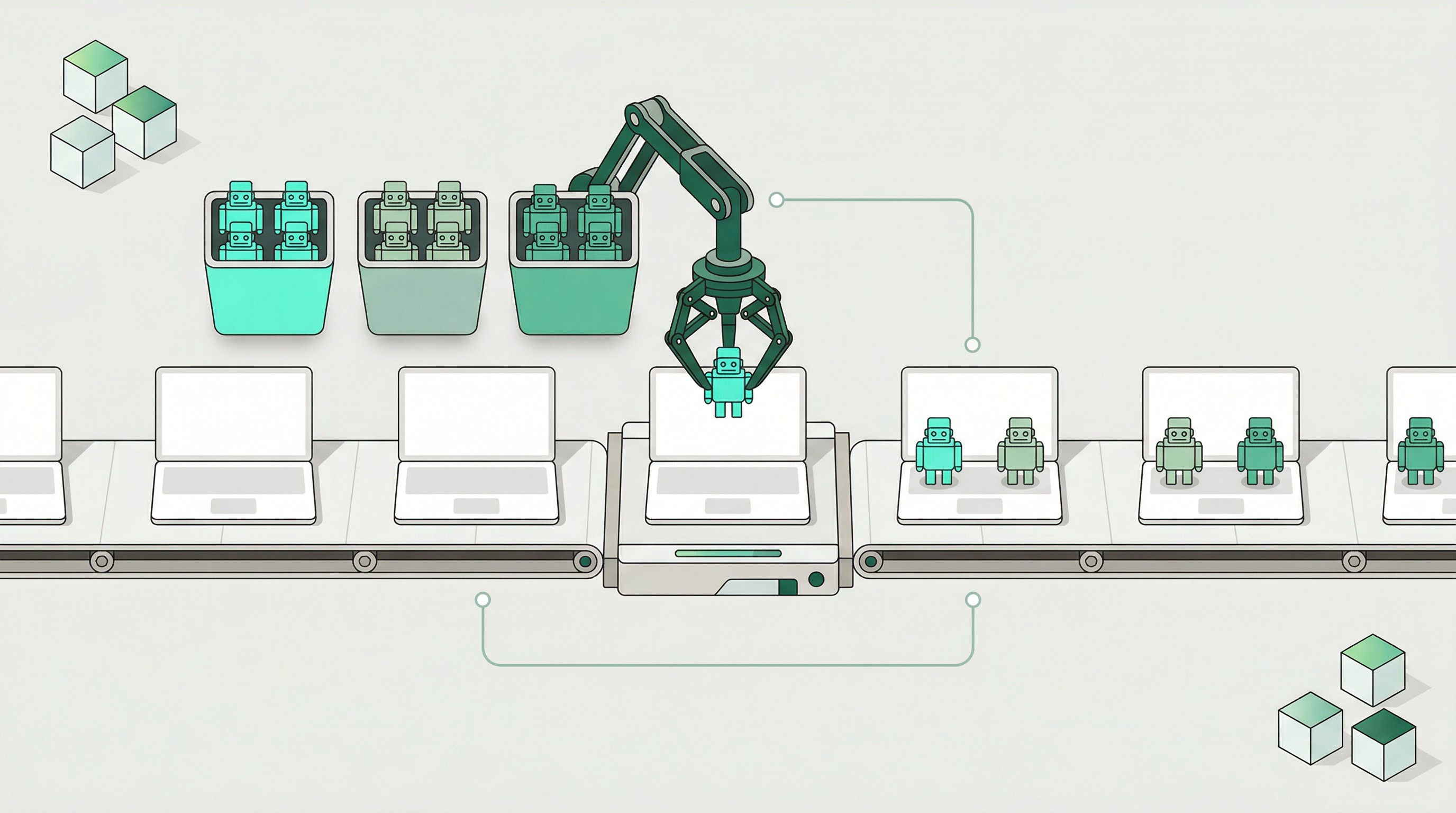
The Agent API lets you define an agent once and reuse it anywhere on Runloop. You specify where the code comes from and how it should be installed, and then reference that agent whenever you launch a devbox.
At a high level, the flow is simple:
- Create an agent object with a name, version, and source
- Launch a Devbox with an
agent_mount - Runloop installs and mounts the agent automatically
This release supports four source types, covering the main ways teams ship agent code:
- Git: clone from a Git repository
- npm: install a Node.js agent from an npm registry
- pip: install a Python agent from PyPI or another package index
- Object: unpack a pre-packaged archive stored as a Runloop Object
That flexibility matters because teams don’t all work the same way. Some agents are under active development in Git. Some are already published as packages. Some need to be bundled ahead of time for fast, deterministic startup.
Immutable, versioned by default
Agent objects are immutable. Once created, an agent is a fixed snapshot of source and configuration.
That gives teams a clear versioning model:
- Use semantic versioning (semver) for released versions like
1.0.0 - Use Git SHAs when pinning to a specific commit
- Keep older versions available for comparison and rollback
This is especially useful for evaluations and benchmark runs. If a result came from a specific agent ID or version, it always resolves to the same agent definition.
Create once, mount anywhere
Here’s a minimal TypeScript example that creates an npm-based agent and mounts it onto a Devbox. Notice there is no manual shell setup, no custom bootstrap script per launch, and no blueprint rebuild just to change the agent.
import { RunloopSDK } from "@runloop/api-client";

const runloop = new RunloopSDK({
  bearerToken: process.env.RUNLOOP_API_KEY,
});

async function main() {
  // Reuse one stable blueprint for multiple agent roles.
  const blueprintId = "bpt_123456789";

  // Use agents created and saved previously
  const codingAgentId = "agt_abcdefghi";
  const reviewAgentId = "agt_jklmnopqr";

  // Devbox for code generation
  const codingDevbox = await runloop.devbox.create({
    blueprint_id: blueprintId,
    mounts: [
      {
        type: "agent_mount",
        agent_id: codingAgentId,
        agent_path: "/home/user/agent",
      },
    ],
  });

  // Devbox for review, using the same blueprint but a different agent
  const reviewDevbox = await runloop.devbox.create({
    blueprint_id: blueprintId,
    mounts: [
      {
        type: "agent_mount",
        agent_id: reviewAgentId,
        agent_path: "/home/user/agent",
      },
    ],
  });

  console.log("Coding devbox:", codingDevbox.id);
  console.log("Review devbox:", reviewDevbox.id);
}

main().catch(console.error);
Use Cases: From Benchmarks to Multi-Agent Workflows
The Agent API is designed to support a few common patterns especially well.
Benchmarks without rebuild churn
Benchmarks need stable environments and easy agent swapping. That’s exactly where the Agent API helps.
Instead of rebuilding benchmark blueprints for every agent revision, teams can keep the blueprint stable and compare different agents or versions independently. That makes it easier to answer practical questions like:
- Did the new version improve task completion?
- Is the issue in the environment or the agent?
- How does one agent compare with another under the same conditions?
Because agent objects are versioned and immutable, benchmark runs are easier to audit and reproduce later.
Multi-agent workflows on the same foundation
Some workflows need more than one agent role. A coding agent may write changes, a review agent may inspect them, and a verification agent may run checks or validate results.
The key benefit here is decoupling. Different agents can run against the same underlying blueprint without forcing separate environment definitions for each role.
import { RunloopSDK } from "@runloop/api-client";

const runloop = new RunloopSDK({
  bearerToken: process.env.RUNLOOP_API_KEY,
});

async function main() {
  // Reuse one stable blueprint for multiple agent roles.
  const blueprintId = "bpt_123456789";

  // Use agents created and saved previously
  const codingAgentId = "agt_abcdefghi";
  const reviewAgentId = "agt_jklmnopqr";

  // Devbox for code generation
  const codingDevbox = await runloop.devbox.create({
    blueprint_id: blueprintId,
    mounts: [
      {
        type: "agent_mount",
        agent_id: codingAgentId,
        agent_path: "/home/user/agent",
      },
    ],
  });

  // Devbox for review, using the same blueprint but a different agent
  const reviewDevbox = await runloop.devbox.create({
    blueprint_id: blueprintId,
    mounts: [
      {
        type: "agent_mount",
        agent_id: reviewAgentId,
        agent_path: "/home/user/agent",
      },
    ],
  });

  console.log("Coding devbox:", codingDevbox.id);
  console.log("Review devbox:", reviewDevbox.id);
}

main().catch(console.error);
This pattern is useful whether the workflow is orchestrated formally or managed through application logic. The environment remains stable, while agent roles can evolve independently.
Everyday devbox workstreams
Most teams don’t want to rebuild core Devbox definitions every time agent code changes. In many cases, a blueprint remains stable for months while agents are updated frequently.
The Agent API separates those concerns cleanly:
- Blueprints define the sandbox and toolchain
- Agent objects define how a specific agent is sourced and installed
- Devbox mounts combine them at launch time
That separation reduces rebuild cycles and keeps agent iteration lightweight.
Object-Based Agents: Fast, Deterministic, Zero External Dependencies
Object-based agents are the fastest and most controlled way to install agents on your Devbox. Instead of fetching code from Git, npm, or PyPI at startup, the agent is packaged ahead of time and stored on Runloop infrastructure as a storage object.
This changes startup behavior in a useful way:
- No dependency resolution at launch
- No download from external registries
- No build steps unless you explicitly add them
- No exposure to public network failures during install
For production workloads, this makes startup both faster and more reliable.
Why object-based agents matter
Object-based agents are a strong fit when you need:
- Deterministic startup for production jobs
- Faster cold starts by avoiding package manager installs
- Compiled agents or nonstandard build artifacts
- Complex packaging pipelines that should run before deployment, not during launch
They also preserve the same mounting pattern as every other source type. That means teams can move from a git, npm, or pip-based agent to an object-based pattern without changing how Devboxes reference it.
Automate Agent Deployment with GitHub Actions
The Agent API also fits naturally into CI/CD.
The runloopai/deploy-agent GitHub Action automates agent creation from a pipeline. It supports all source types, including Git-based deployment and workflows that first package a tar archive and then publish it as an object-based agent.
This lets teams treat agent deployment as a release step:
- On push to
main, publish the latest development version - On release tags, create a versioned agent for the release
- In custom build pipelines, package artifacts first and publish them as object-based agents
Example: deploy a Git-based agent on release
name: Deploy agent on release

on:
  release:
    types: [published]

jobs:
  deploy-agent:
    runs-on: ubuntu-latest
    steps:
      - name: Deploy Git-based agent to Runloop
        uses: runloopai/deploy-agent@v1
        with:
          runloop-api-key: ${{ secrets.RUNLOOP_API_KEY }}
          source-type: git
          name: my-agent
          version: ${{ github.event.release.tag_name }}
          repository: ${{ github.server_url }}/${{ github.repository }}
          ref: ${{ github.event.release.tag_name }}
This closes an important loop for teams shipping agents regularly:
- Commit or tag a release
- Publish a new agent version automatically
- Mount that exact version on the next Devbox launch
The result is a cleaner path from source control to runnable infrastructure.
Getting Started
The fastest way to try the Agent API is to register one agent and mount it onto a Devbox.
A practical starting sequence looks like this:
- Choose a source type:
- Git for active development
- npm for published Node.js agents
- pip for published Python agents
- Object for packaged, production-ready bundles
- Create an agent with:
- a clear
name - a stable
version - a source definition and any
agent_setup commands
- Launch a Devbox with an
agent_mount - Repeat with a second version or second agent to compare behavior
A few best practices help early:
- Use descriptive names like
code-review-agent instead of generic labels - Prefer semver for releases and Git SHAs for commit-pinned builds
- Mount by
agent_id when exact resolution matters - Use object-based agents when startup reliability and determinism are priorities
If you want a managed starting point, Runloop also provides public wrappers for several common coding agents, including Claude Code, Codex, OpenCode, Gemini CLI, and DeepAgents through the public agent listing APIs documented in the Agents docs.
Conclusion
The Runloop Agent API adds a missing layer to agent infrastructure: a versioned, reusable way to define and mount agents without tying every change to a blueprint rebuild.
That matters in three places immediately:
- Benchmarks need stable environments and easy agent swapping
- Multi-agent workflows need different roles on a shared foundation
- Production workloads need reliable, repeatable startup
By making agents declarative, pluggable, and immutable, the platform gives teams a cleaner way to iterate on the part of the stack that changes fastest.
To learn more, see the Runloop Agents documentation and API reference, then create an agent and mount it onto a devbox. The setup is simple, and the operational payoff shows up quickly.
Read More: Runloop Agents API Docs




.png)